

Omni One
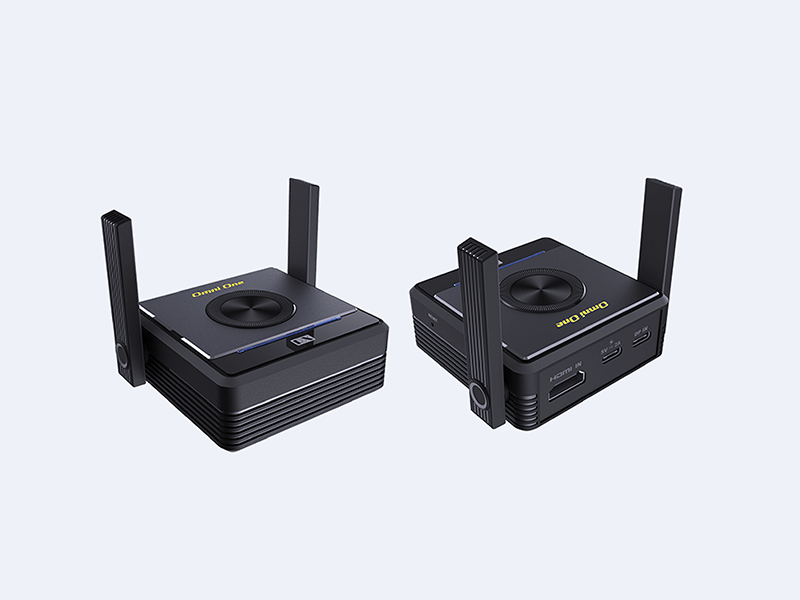
Omni One
Wireless Display Transmitter and Receiver
Omni One
Break barriers. Reach beyond.
Omni One
Break barriers. Reach beyond.
Dual port.
HDMI & USB-C support.
HDMI & USB-C support.
The transmitter supports both HDMI and USB-C (DP Alt Mode) inputs,
enabling seamless compatibility across laptops, monitors, and smartphones.
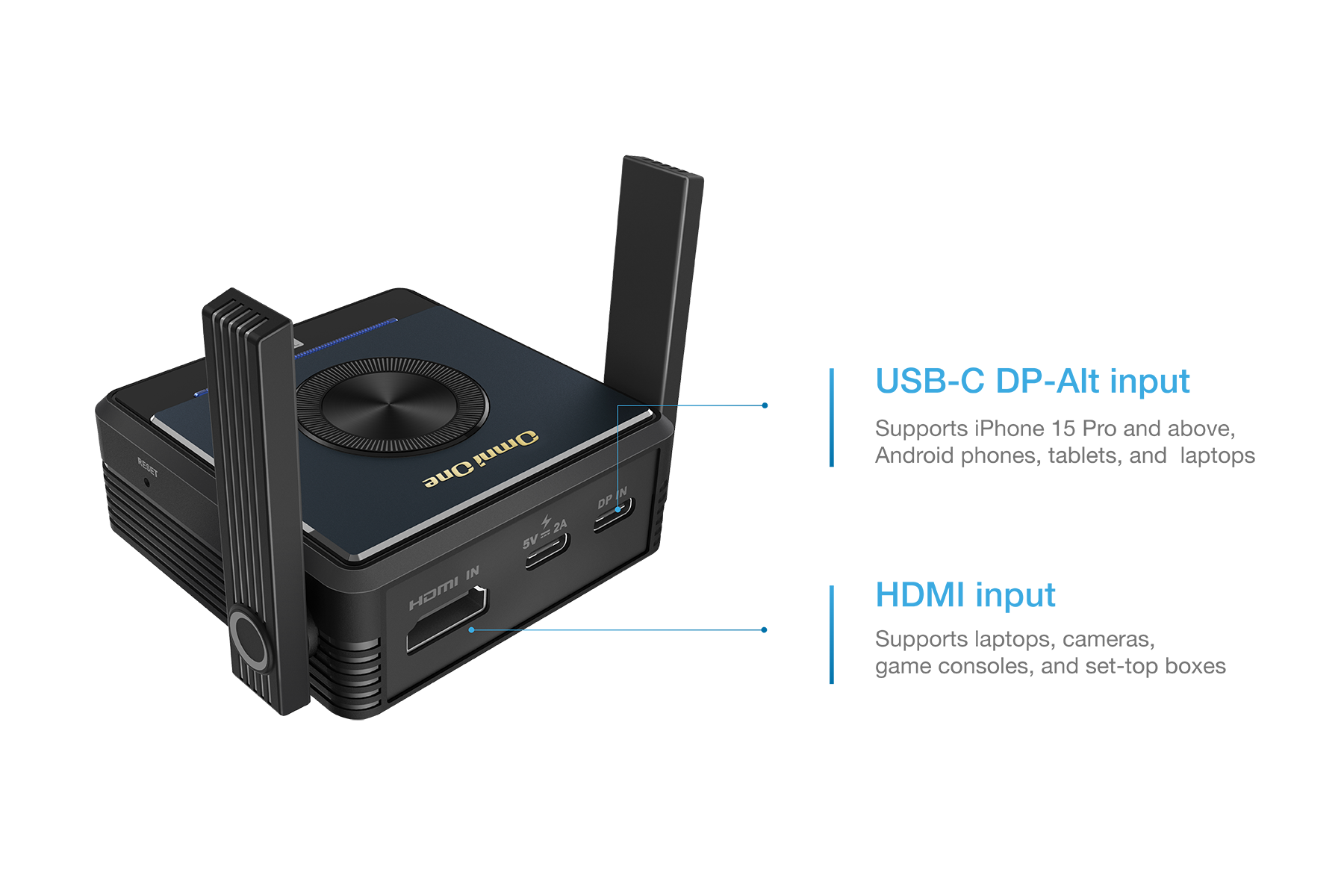
Dual port. HDMI & USB-C support.
The transmitter supports both HDMI and USB-C (DP Alt Mode) inputs,
enabling seamless compatibility across laptops, monitors, and smartphones.
Through walls.
Across rooms.
Across rooms.
With long-range transmission and robust signal strength, Omni One overcomes physical barriers with ease. Whether it’s across meeting rooms or through walls, your content reaches every screen without a hitch.
Through walls. Across rooms.
With long-range transmission and robust signal strength, Omni One overcomes physical barriers with ease. Whether it’s across meeting rooms or through walls, your content reaches every screen without a hitch.
Starts with one.
Expand as needed.
Expand as needed.
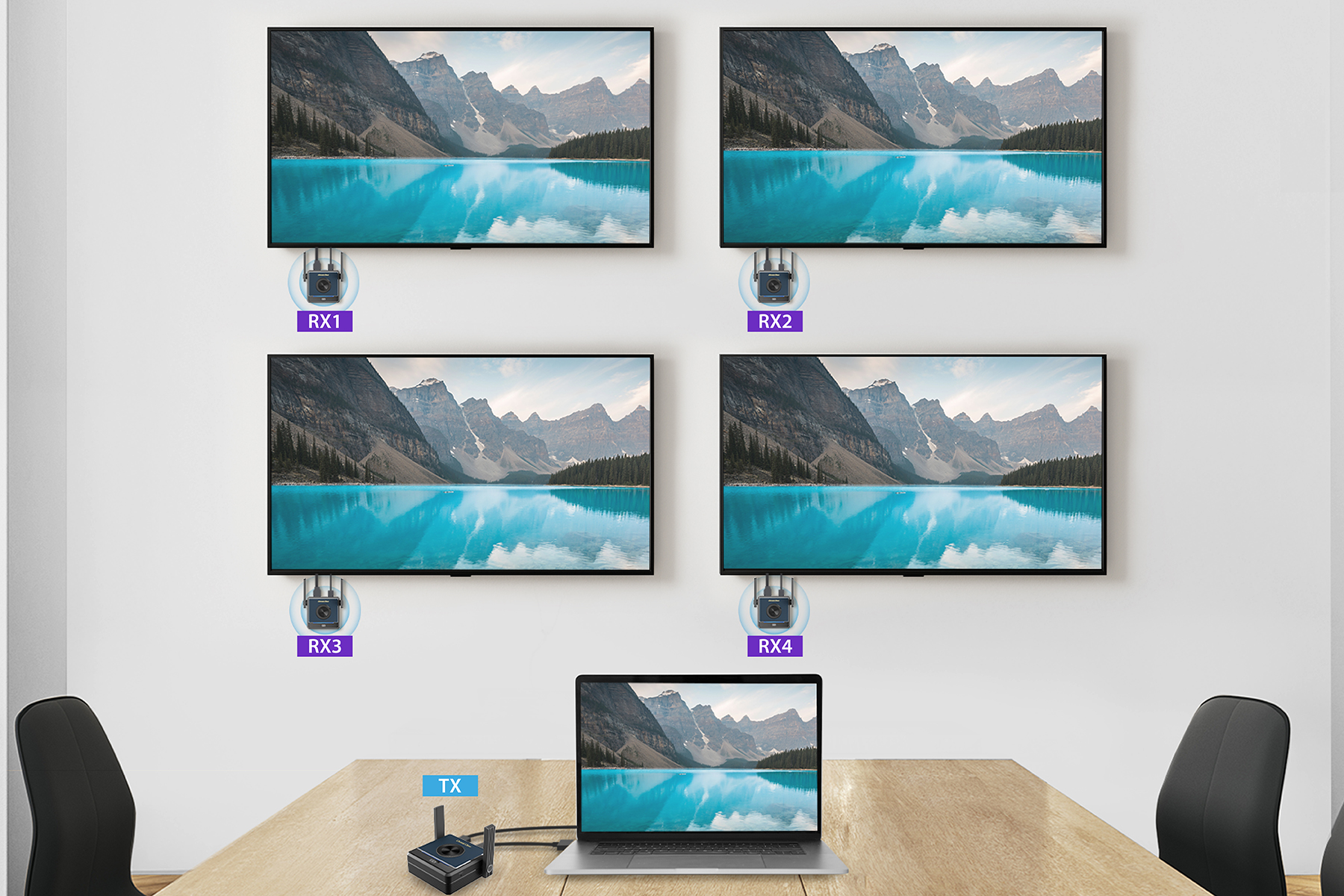
Omni One started as a one-to-one solution. Now, you can add up to three more receivers, making a total of four, and place them anywhere to perfectly fit your space.
Starts with one. Expand as needed.
Omni One started as a one-to-one solution. Now, you can add up to three more receivers, making a total of four, and place them anywhere to perfectly fit your space.
Seamless. Smart. Stable.
Equipped with in-house Smart Channel Hopping technology, Omni One dynamically detects congestion and automatically switches to the clearest channel, keeping TX and RX perfectly synchronized for seamless transmission.
Seamless. Smart. Stable.
Equipped with in-house Smart Channel Hopping technology, Omni One dynamically detects congestion and automatically switches to the clearest channel, keeping TX and RX perfectly synchronized for seamless transmission.
More Features about Omni One

Wi-Fi 5GHz
Provides faster signal transmission forsmoother performance.

Portrait Mode Available
Supports portrait mode for flexible display options.

Transmission Security
Employs data scrambling to protect yourcontent.
More Features about Omni One
Wi-Fi 5GHz
Provides faster signal transmission forsmoother performance.
Portrait Mode Available
Supports portrait mode for flexible display options.
Transmission Security
Transmitting Far, Perfectly Smooth
Omni One delivers ultra-low latency and a transmission range exceeding 100 meters, ensuring smooth, real-time projection with minimal delay—perfect for seamless screen sharing.

Transmitting Far, Perfectly Smooth
Omni One delivers ultra-low latency and a transmission range exceeding 100 meters, ensuring smooth, real-time projection with minimal delay—perfect for seamless screen sharing.
| Transmitter | Receiver | |
|---|---|---|
| Model | EZCast Omni T-2 | EZCast Omni O-2 |
| Network | Wi-Fi 5GHz 2T2R | Wi-Fi 5GHz 2T2R |
| Interface | HDMI in, USB-C DP-Alt | HDMI out |
| Max Resolution | 1920×1080p | 1920×1080p |
| Function | Screen Mirror, Extend | Screen Mirror, Extend |
| Range | More than 100 meters (depending on the number of receivers in open space) | More than 100 meters (depending on the number of receivers in open space) |
| Device Power Consumption | DC 5V/2A | DC 5V/1A |
How to mirror

1. Install the receiver:Connect the receiver to the HDMI port on TV, and power on by an independent power 5V/1A adapter.
2. Plug and play:Connect the transmitter to the HDMI or USB-C port of your laptop or mobile, wait for a few seconds until the flashing light on the transmitter stops, and then the screen will automatically project.
3. Stop and restart mirroring:Press the button on the Transmitter to stop mirroring or restart mirroring
Portrait Mode Available

Click the button on the receiver to turn on portrait mode and rotate your mirrored content by 90 degrees.
Expandable Receivers

One transmitter supports mirroring to up to four receivers, enabling 1-to-4 screen mirroring.
| name | download |
|---|---|
| Omni _One_EN_DM |  |